 Ricon Tools
Ricon Tools
Ricon Tools
Correctly tightening a CNC tool holder nut is a small step with major consequences. Poor torque can increase runout, weaken tool retention, and accelerate spindle or collet damage. The result may appear as chatter, uneven tool marks, or premature insert failure. Sometimes, the machine is blamed too quickly.
This guide explains how to properly torque a cnc tool holder nut using practical shop-floor methods and manufacturer guidance. Technical documentation from SCHUNK, HAIMER, BIG DAISHOWA, and Techniks consistently emphasizes calibrated torque tools, clean mating surfaces, and compatible collet systems. Their torque charts also show that recommended values vary by nut design, collet type, thread condition, and holder size. One universal torque number is unsafe.
ISO 1940-1 addresses balancing quality for rotating assemblies, while ISO 7388-1 defines dimensions for certain machine tool interfaces. Neither standard replaces the nut manufacturer’s torque specification. That distinction matters. A holder can meet dimensional requirements and still perform poorly when assembled incorrectly.
Before tightening, inspect the collet, nut, holder taper, and tool shank under bright light. Remove chips and dried coolant. Seat the tool consistently, then use a verified torque wrench with the correct spanner. Hold the holder securely without damaging its taper. Small details matter.
A torque wrench can also be misused. Calibration dates, wrench angle, and adapter position deserve attention. I have seen operators tighten by feel, even on high-speed applications. That habit feels efficient, but it creates inconsistent clamping force. The more reliable approach combines documented torque values, repeatable cleaning, and periodic inspection. This article develops that method step by step, while acknowledging an uncomfortable truth: perfect torque cannot rescue worn or contaminated tooling.
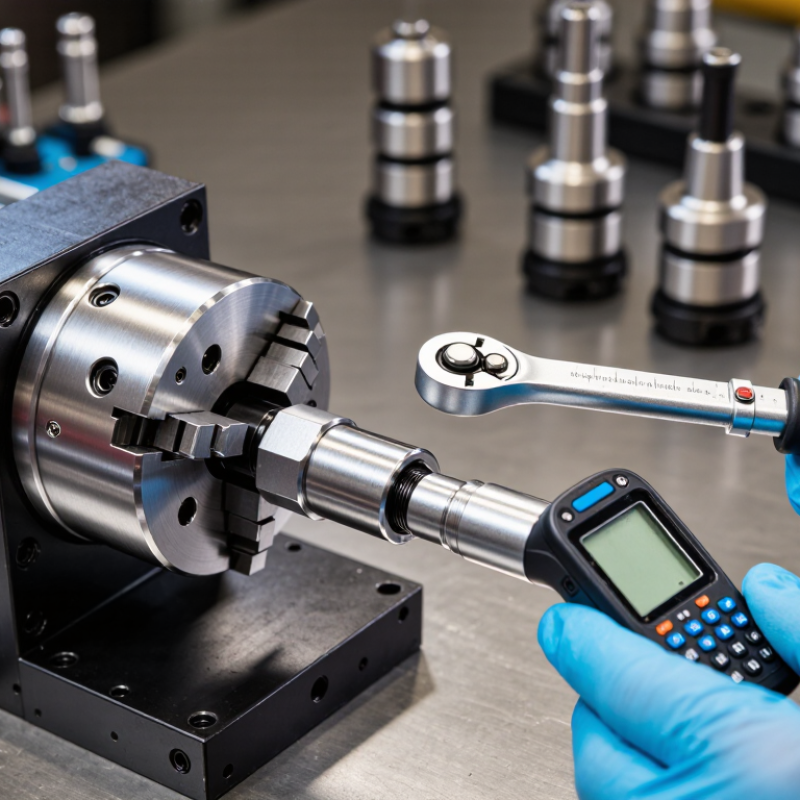
Identifying the correct tool holder nut is the real beginning of proper CNC assembly. Nut shape alone is not enough. Check the holder type, thread size, collet system, and nut angle. A standard nut, bearing nut, and sealed nut may look similar, yet require different torque values. Read the holder documentation or the nut’s permanent markings. If the information is missing, ask the manufacturer or qualified tooling supplier. Do not copy a torque value from another holder.
Cleanliness matters more than many operators expect. Remove chips, dried coolant, and damaged threads before inspection. I use a lint-free cloth and check the mating surfaces under good light. The collet should sit correctly inside the nut before threading it onto the holder. Never force a cross-threaded nut. It can damage expensive components and create false clamping pressure.
Use a calibrated torque wrench with the correct spanner attachment. Set the exact value specified for that nut and holder combination. Tighten smoothly, while holding the holder securely. Avoid impact tools unless the documentation specifically permits them. I once trusted a familiar setting without checking the nut type; that was a poor assumption. The holder ran acceptably, but the clamping result was not verified. Torque records, inspection notes, and periodic wrench calibration make the process more reliable. Small details often decide whether a tool cuts cleanly or vibrates.
Clean the holder taper, collet slots, nut threads, and tool shank. Use a lint-free cloth. Remove chips, coolant film, and burrs. Tiny debris can tilt the collet and increase runout.
Yes. Insert the collet into the nut before installing the assembly into the holder. This helps the collet engage evenly. It also reduces uneven tool seating.
Use the specified torque for the exact holder, nut, and collet system. There is no universal setting. Torque values can change with tool size and assembly design.
No. Use a calibrated torque wrench with the correct adapter. Hand-tighten the nut first, then apply the specified torque smoothly. Stop at the click.
Excessive force can damage threads, distort the collet, or shorten bearing life. Do not use a cheater bar. More force does not always create better holding.
Clean every contact surface. Assemble the collet and nut, then insert the tool. Hand-tighten the nut before applying torque. Follow staged increments if the procedure requires them.
Rotate the assembly by hand and confirm that the tool remains centered. Then measure runout with a suitable dial indicator or inspection device. A torque wrench cannot measure runout.
Recheck after the first machining cycle, especially after vibration, heat, or heavy cutting. Inspect the nut and collet when changing tool sizes. Small setup errors can return.
Record the torque value, tool diameter, and runout result. These details help identify repeated problems. I once blamed the collet when a dirty nut caused the issue.
Learning how to properly torque a cnc tool holder nut begins with identifying the correct nut type, collet, tool holder, and manufacturer-specified torque value. Before assembly, clean and inspect all components, making sure the collet, nut, and holder are free from chips, oil buildup, and damage. Use a calibrated torque wrench and confirm that the cutting tool matches the collet size. Seat the collet into the nut correctly before inserting the tool, then position the tool at the required insertion depth while keeping it straight and fully supported.
Tighten the nut gradually and evenly with the proper torque wrench, following the recommended tightening method rather than relying on hand force or guesswork. After tightening, check the tool for secure clamping and measure runout when precision is important. If excessive runout, vibration, or abnormal movement is found, stop and inspect the assembly. Clean and store the holder, collet, nut, and torque wrench properly after use, and regularly check them for wear to maintain consistent performance and safe operation.
